 Skip to main content
Server Segmentation (Web / Mail / DNS tiers)
PUQ Web Hosting module WHMCS
Order now | Download | Community
One server or many?
You can run the whole module on a single HestiaCP node that does everything. That is perfect for getting started, for small offers, and for testing.
But the module is designed so you can segment your fleet as you grow: put websites on one set of servers, mailboxes on dedicated mail (MX) servers, and DNS on separate nameservers. Each role then scales on its own hardware, and a busy mail queue or a heavy website can't starve the others.
The mechanism that makes this possible is server capabilities + server groups.
Capabilities — what a node is allowed to host
Each server you add (Infrastructure → Web / Mail / DNS Servers) has three capability flags: Web, Mail, DNS. You tick them when you add or edit the node. A node can carry one role, two, or all three.
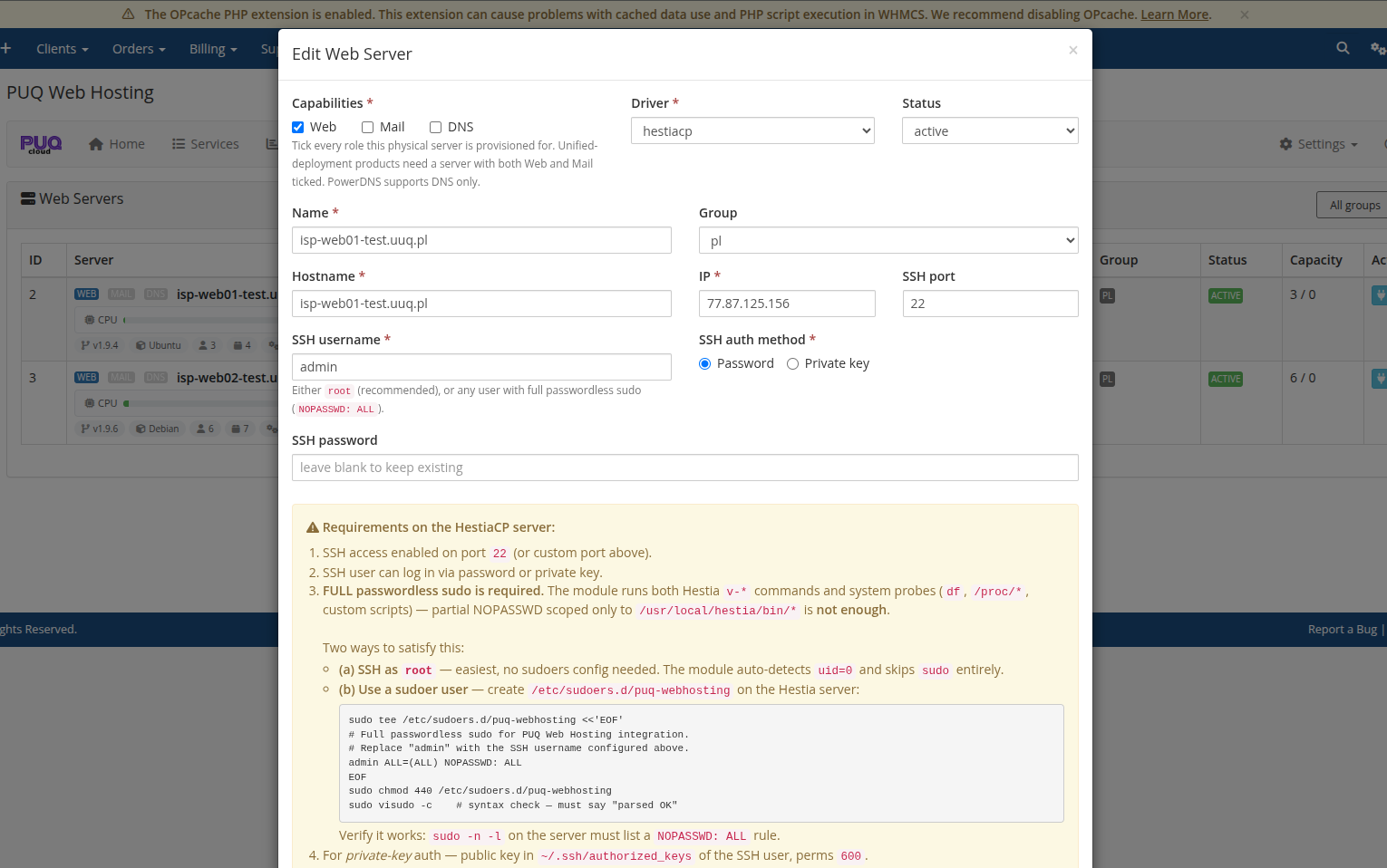
This is how you decide your topology. Typical patterns:
| Pattern | Web nodes | Mail nodes | DNS nodes |
|---|---|---|---|
| All‑in‑one | one node ticks Web + Mail + DNS | (same node) | (same node) |
| Web / mail split | nodes tick Web only | dedicated Mail nodes (your MX) | nodes tick DNS only |
| Full three‑tier | Web pool | Mail pool | Nameserver pool (e.g. ns1, ns2) |
In the Infrastructure pages the same physical servers appear under Web Servers, Mail Servers and DNS Servers filtered by their capability — so a mail‑only node only shows up under Mail:
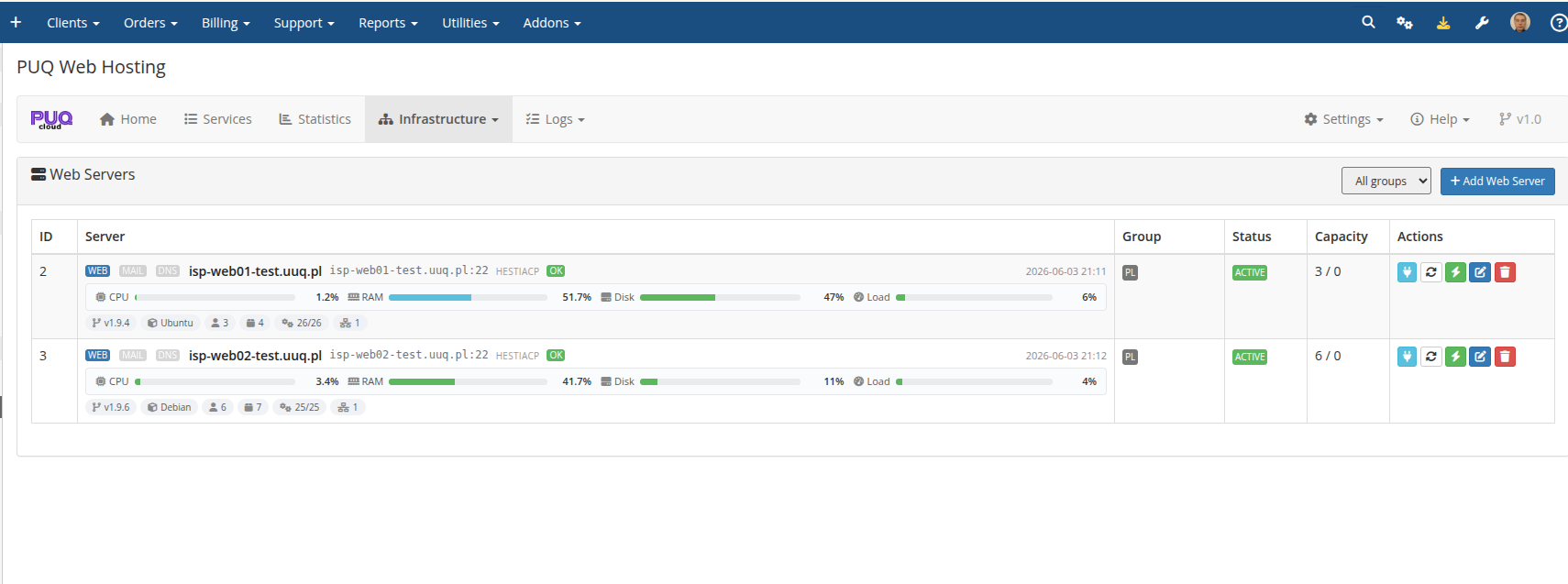
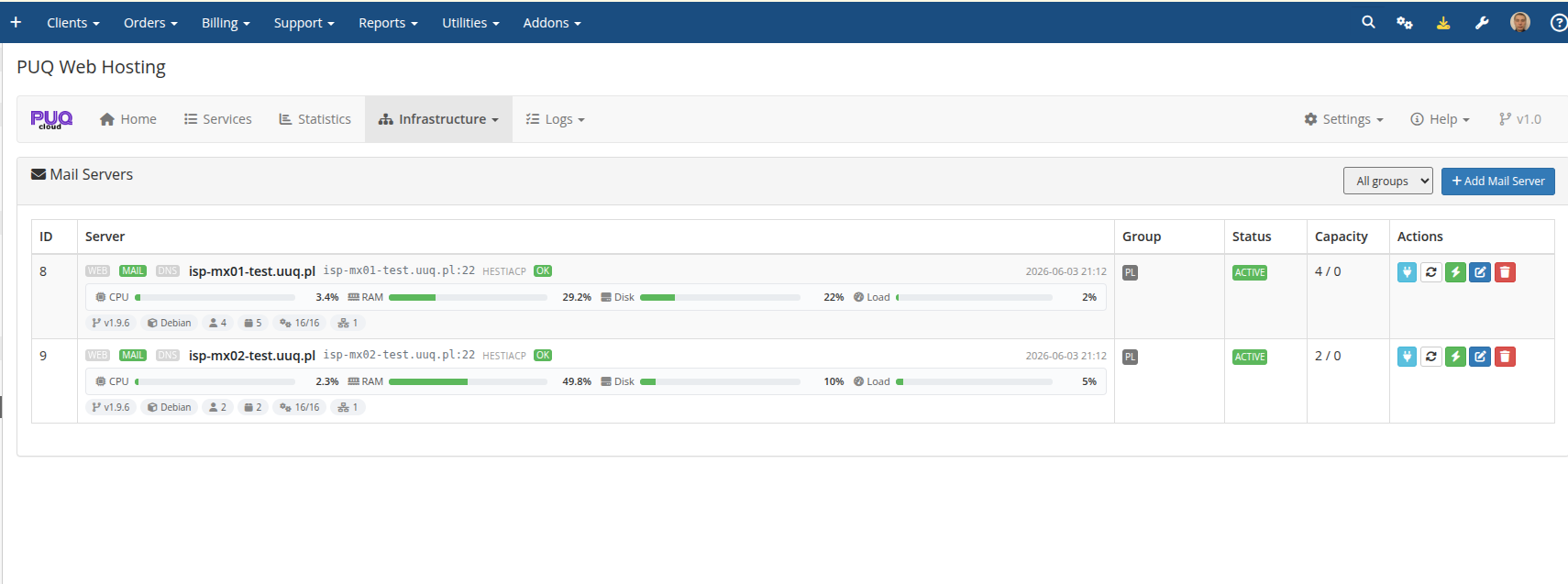
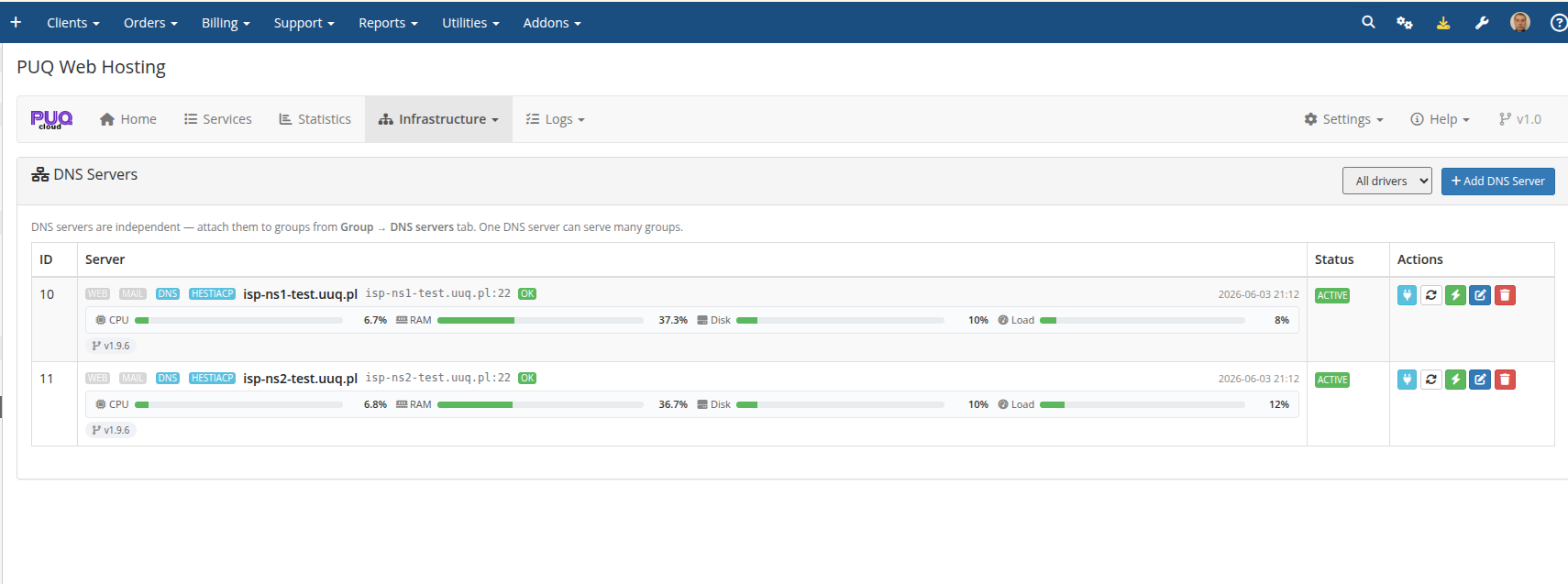
When a Split service is provisioned, the module places each role on a least‑loaded active node that has the matching capability: the web user lands on a Web node, the mailbox on a Mail node, the DNS zone on the group's DNS nodes. That is the load balancing — it is by role and by capacity, automatically.
Server groups — the unit you sell from
A server group ties a set of nodes together and is what a product points at (the product's Server Group dropdown). Open a group to manage it.
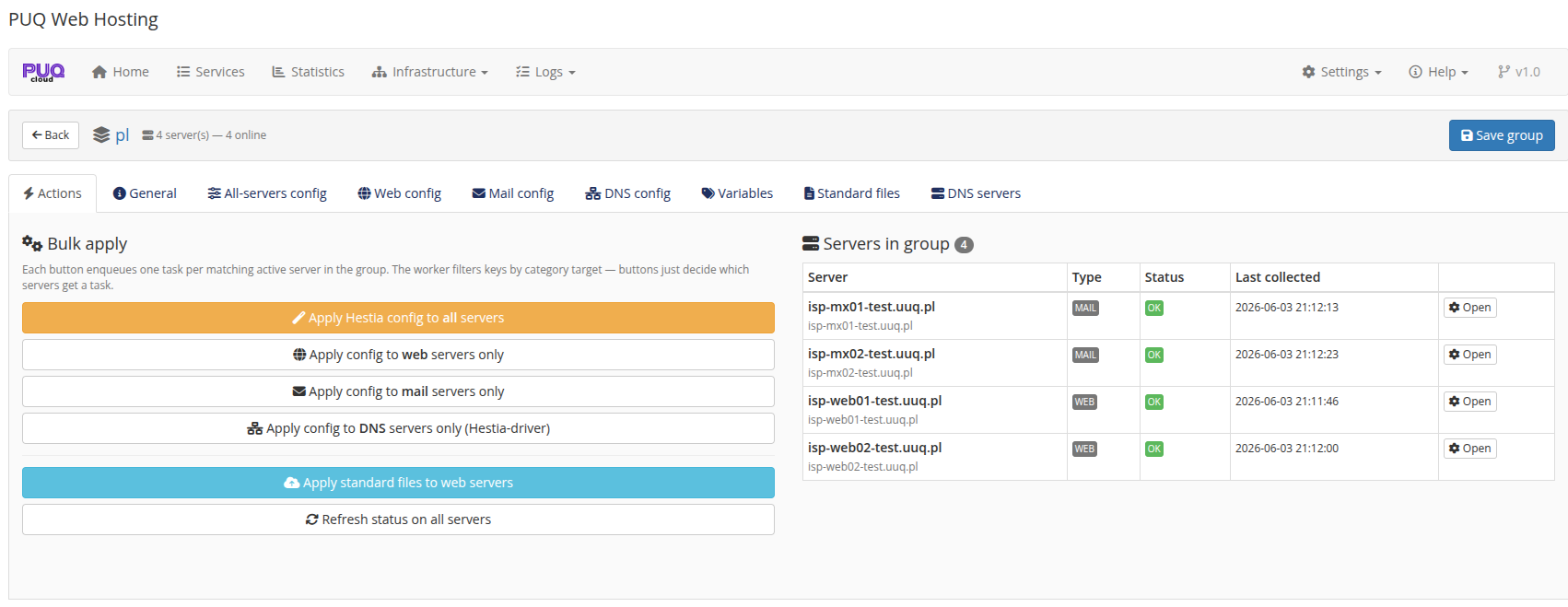
The group's Actions tab shows the members with their Type (WEB / MAIL) and lets you push configuration to all servers, web servers only, mail servers only or DNS servers only. That last point is the key to safe segmentation: a web‑specific setting is never applied to a mail node and vice‑versa.
Role‑targeted configuration
The group editor has separate config tabs whose values are pushed only to nodes of that role during Apply Hestia config:
-
All‑servers config — keys applied to every node (language, theme, security/API, user policies…).
-
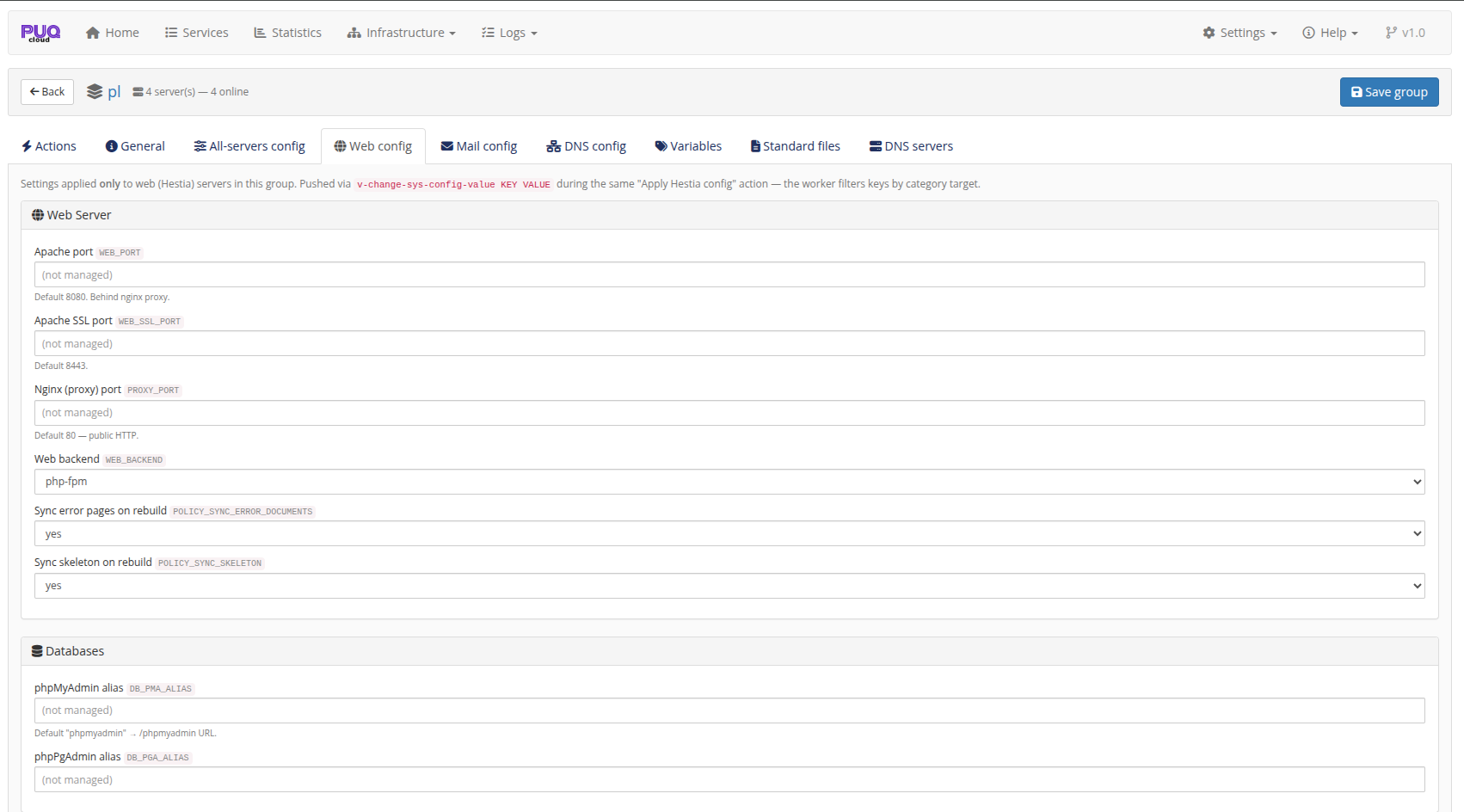
Web config — web‑only keys (Apache/Nginx ports, web backend, phpMyAdmin alias…).
-
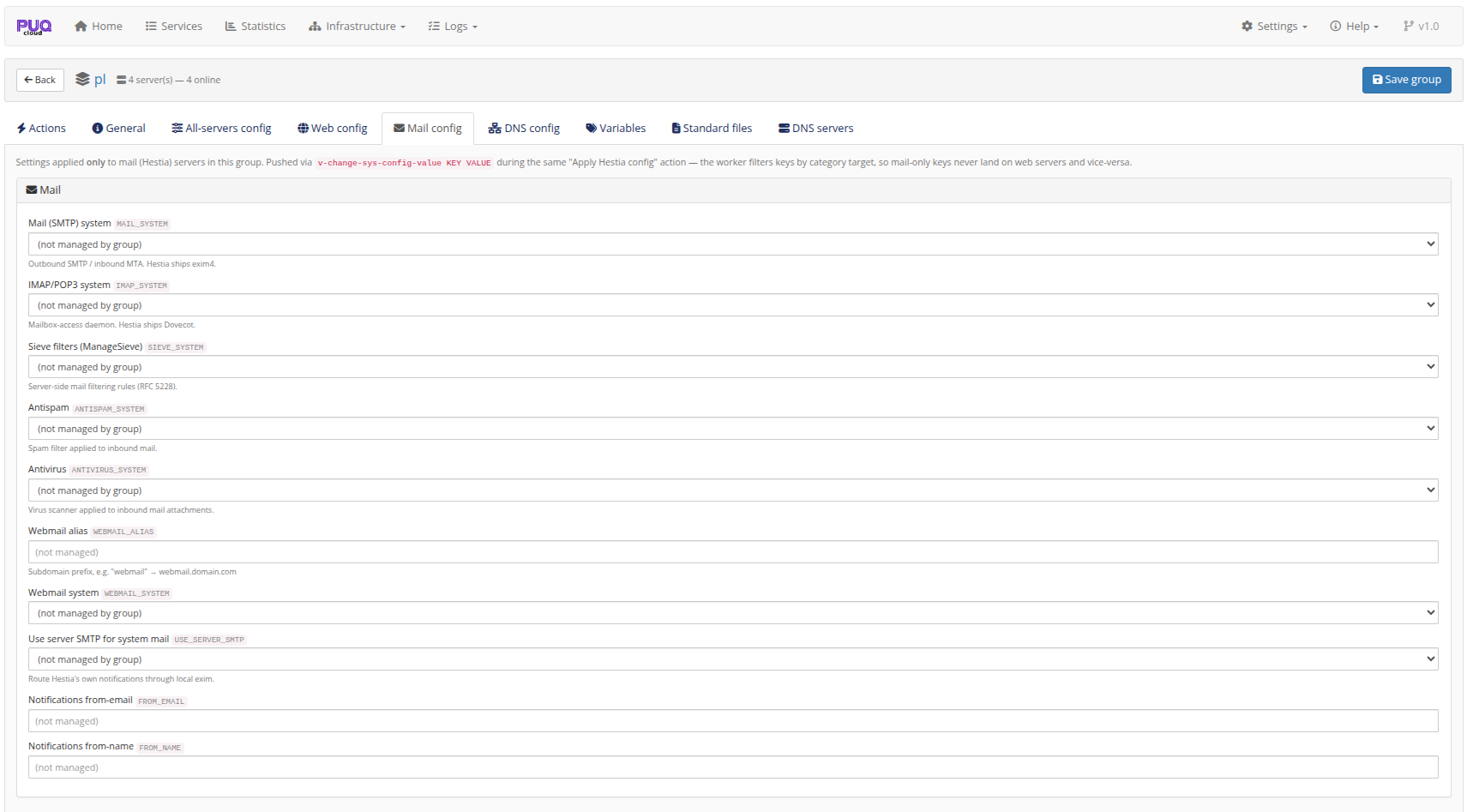
Mail config — mail‑only keys (SMTP/IMAP system, antispam/antivirus, webmail, notification from‑address…).
-
DNS config — DNS‑only keys (DNSSEC, DNS cluster). PowerDNS nodes have no
hestia.confand are skipped automatically.
The worker filters every managed key by its category target, so "mail‑only keys never land on web servers and vice‑versa". This means you can, for instance, enable ClamAV/SpamAssassin only on your mail tier without touching the web tier.
DNS is active‑active across the tier
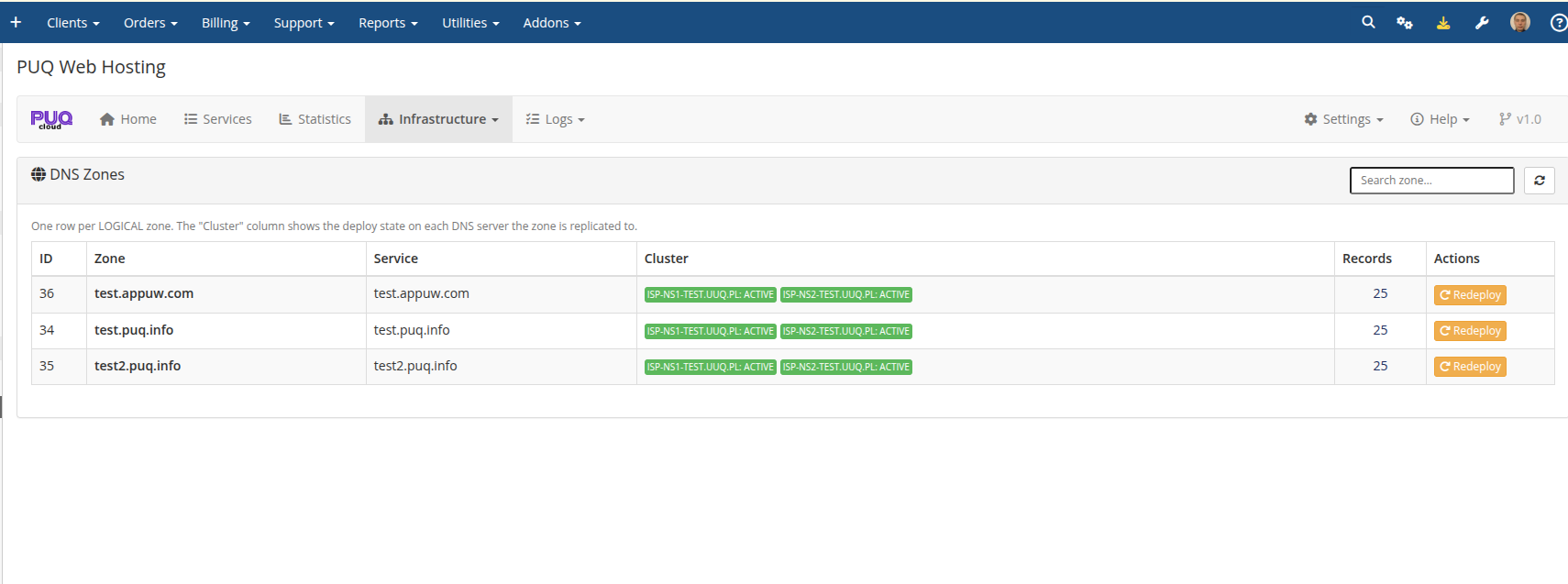
DNS servers are independent — you attach them to a group on the group's DNS servers tab, and one DNS server can serve many groups. When a zone is created it is replicated to every attached DNS node, so you get an active‑active nameserver cluster out of the box. The DNS Zones page shows the per‑server deploy state for each logical zone:
Watching the balance
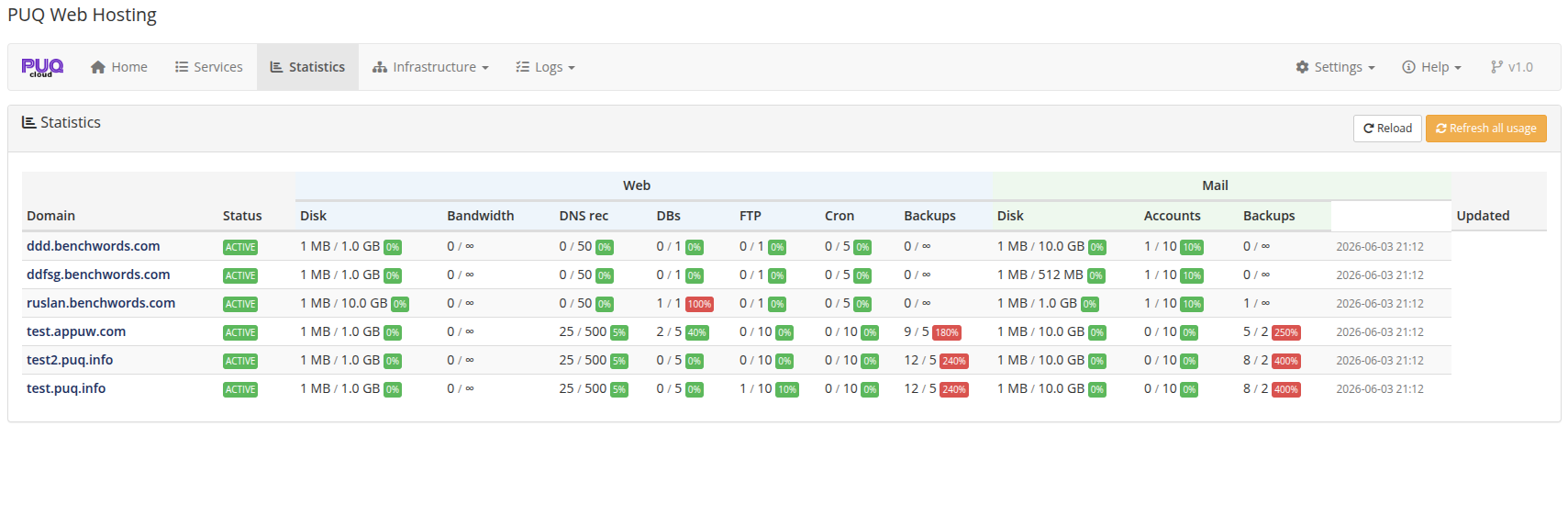
The addon Statistics page reports usage per domain, split into Web and Mail columns, so you can see at a glance how load is distributed and when a tier needs another node:
The Home dashboard's Server capacity table lists each node by type with its capacity and last sync time — a quick health view of every tier.
Why segment? Mail and web have very different load profiles. Keeping them on separate, capability‑tagged tiers lets you scale each independently, isolate failures, and apply role‑specific tuning — while the module's per‑capability placement spreads new accounts across the least‑loaded node automatically.