 Skip to main content
Product Configuration (reference)
PUQ Web Hosting module WHMCS
Order now | Download | Community
A product's behaviour is defined on its WHMCS Module Settings tabs. Installation & Configuration → Create a product walks the happy path; this page is a reference to the moving parts and how they fit together.
How the pieces connect
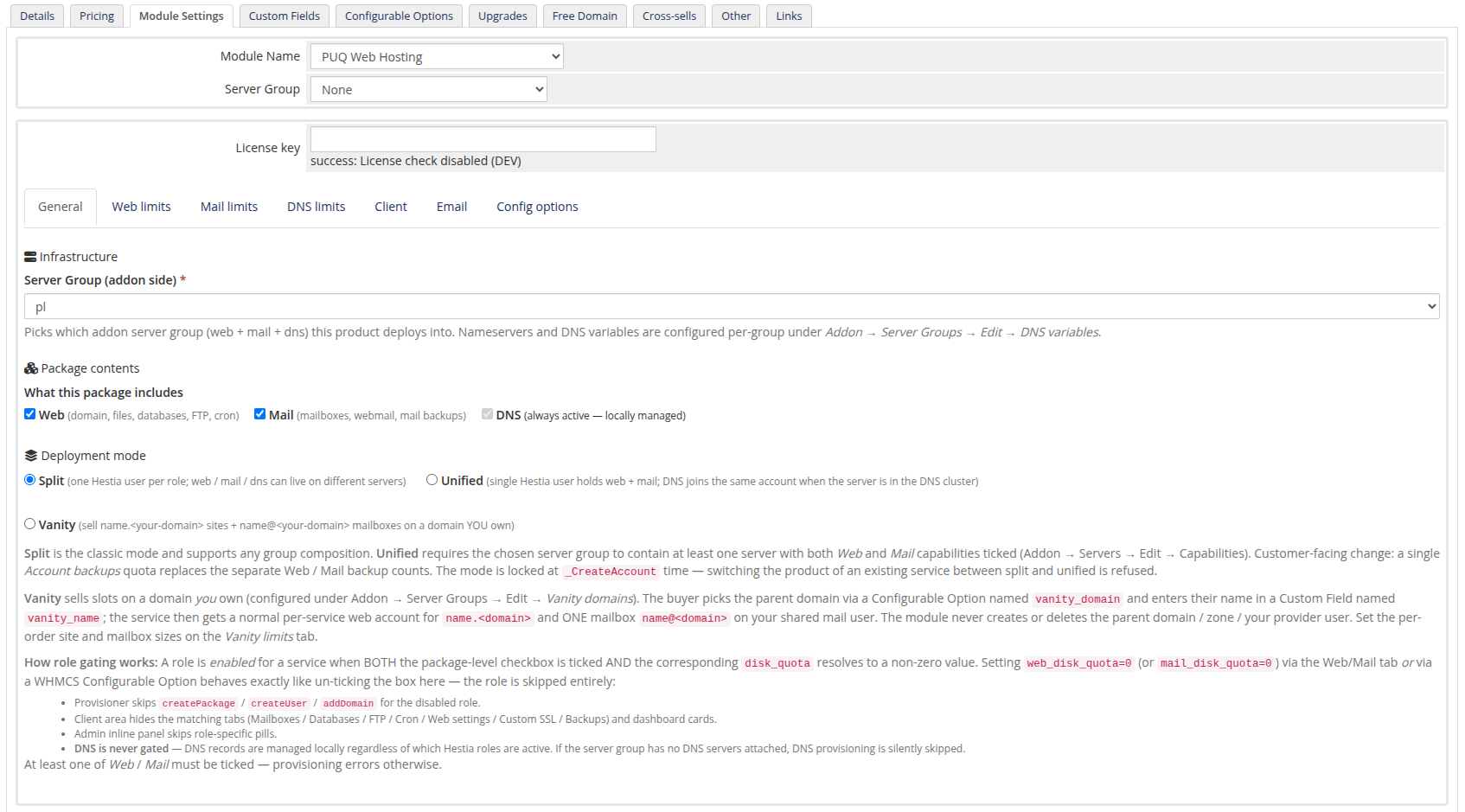
General tab            →  roles (Web/Mail/DNS) + Deployment mode (Split/Unified/Vanity)
Web/Mail/DNS limits    →  Hestia package quotas + module caps, each keyed to a Configurable Option
Client tab             →  which client-area pages/actions are visible
Email tab              →  WHMCS email template per module event
Config options tab     →  Create/sync the WHMCS Configurable Options + the vanity_name Custom Field
At order time the module reads each customer's chosen limits from the WHMCS Configurable Options (whose keys it created), overlays them on the product defaults, and stores the resolved set on the service. You can inspect that resolved set on the admin service panel (the Resolved limits table).
Deployment mode decides the tab set
- Split / Unified → separate Web / Mail / DNS limits tabs.
-
Vanity → a single Vanity limits tab (Website quota + Mailbox quota), plus the
vanity_domainConfigurable Option and thevanity_nameCustom Field.
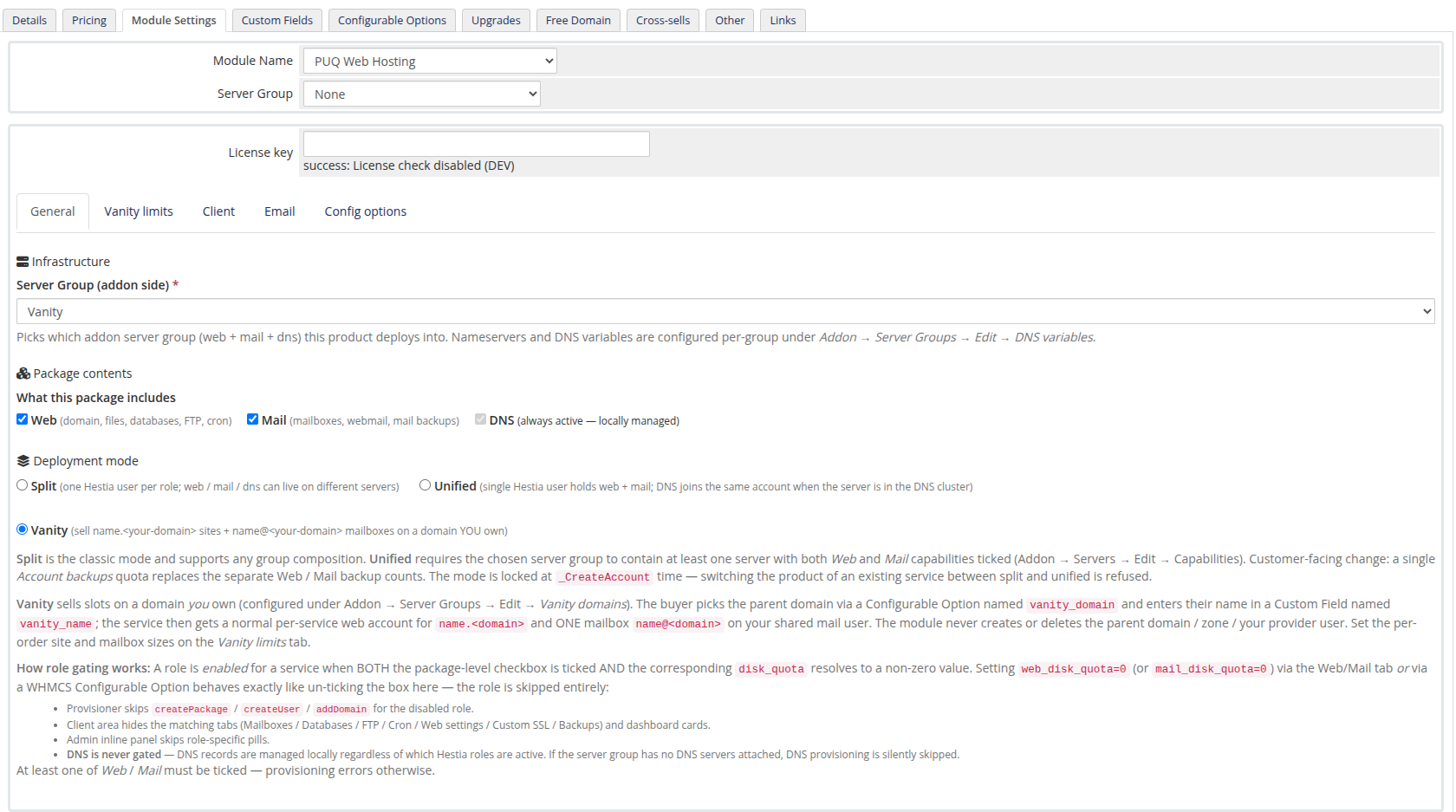
See Deployment & Segmentation → Deployment models for what each mode does, and Vanity Mode → The vanity product for the vanity specifics.
Limits → Configurable Options
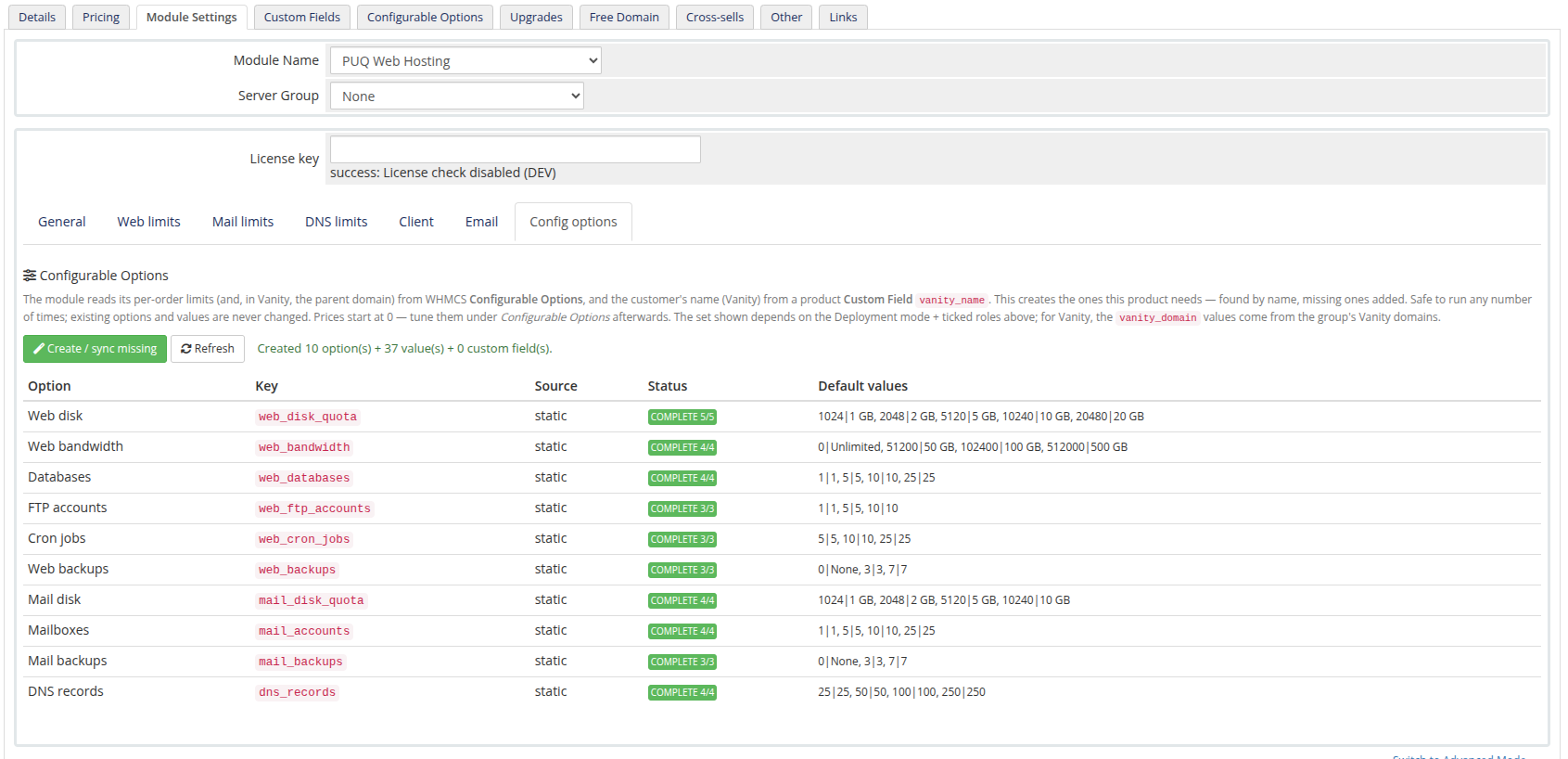
Every limit field names its override key (e.g. web_disk_quota, mail_accounts, dns_records). The Config options tab turns those keys into real WHMCS Configurable Options in one click, so customers can pick tiers and you can price upgrades.
| Tab | Key examples |
|---|---|
| Web limits | web_disk_quota, web_bandwidth, web_databases, web_ftp_accounts, web_cron_jobs, web_backups |
| Mail limits | mail_disk_quota, mail_accounts, mail_backups |
| DNS limits | dns_records |
| Vanity limits | vanity_site_disk_quota, vanity_mail_quota, vanity_domain |
Client permissions & emails
The Client tab hides/shows client‑area features per product; the Email tab maps each lifecycle event to a WHMCS email template. Both are covered with screenshots in Create a product.
Re‑running Create / sync missing is always safe — it only adds what's missing and never rewrites existing options or values. Run it again after enabling a new role or switching deployment mode.