 Skip to main content
Settings
Proxmox KVM module WHMCS
Order now | Download | Community
The Settings section is divided into two pages: General and Cron.
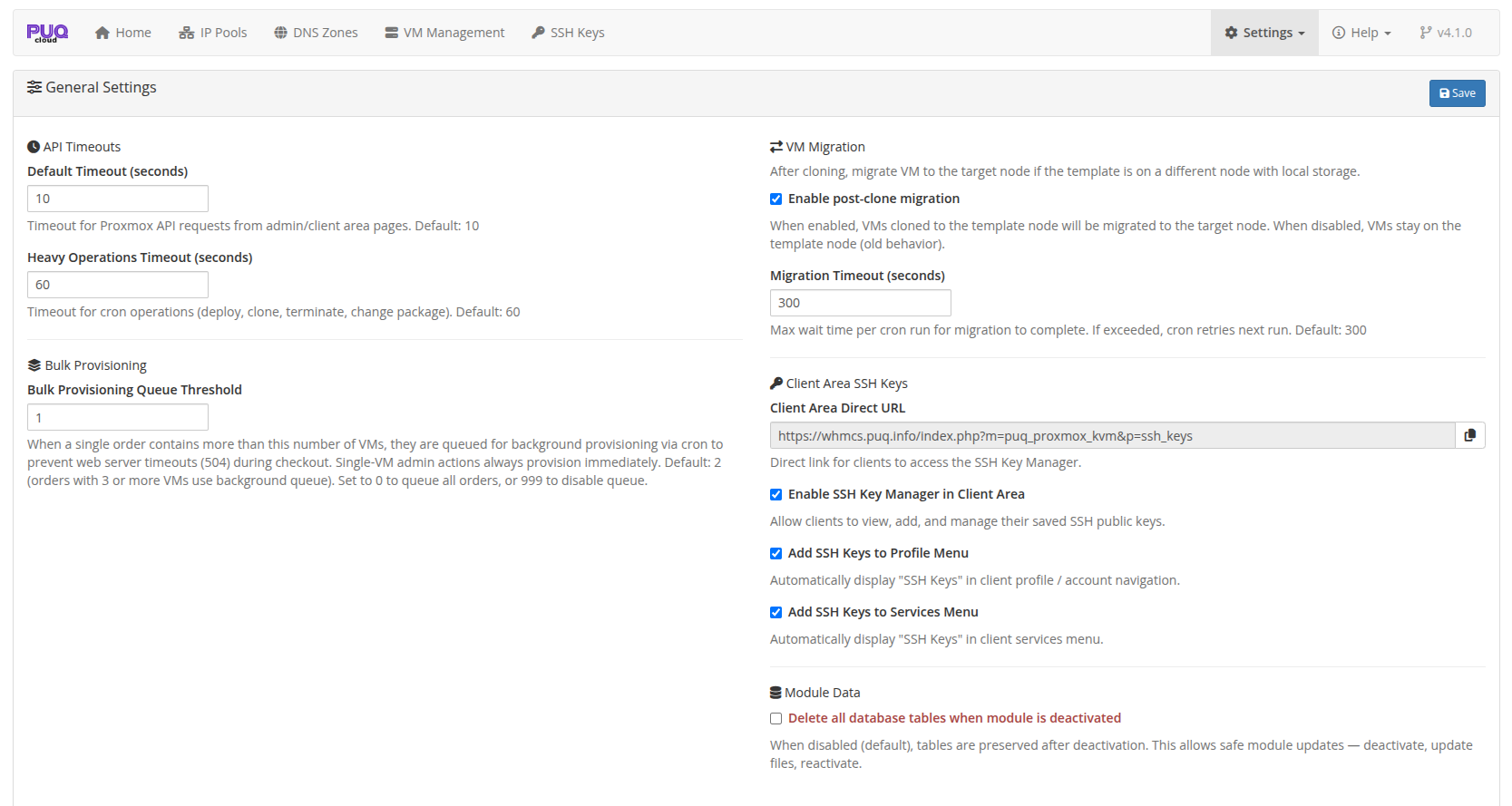
General Settings
 addon-settings-general.png
API Timeouts
| Setting | Default | Range | Description |
|---|---|---|---|
| Default Timeout | 10s | 1–300 | Timeout for Proxmox API requests from admin/client area pages |
| Heavy Operations Timeout | 60s | 1–600 | Timeout for cron operations (deploy, clone, terminate, change package) |
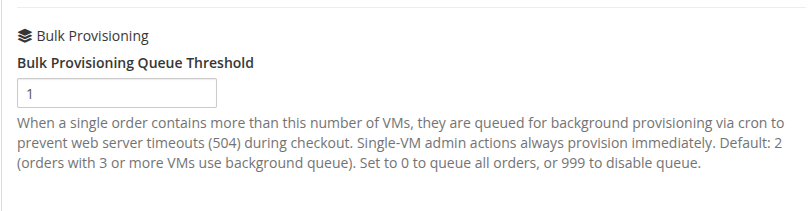
Bulk Provisioning
 addon-settings-general-bulk-provisioning.png
| Setting | Default | Range | Description |
|---|---|---|---|
| Bulk Provisioning Queue Threshold | 2 | 0–999 | When an order contains more than this number of VMs, they are queued for background provisioning via cron to prevent web server 504 timeouts during checkout. Orders with 3 or more VMs use the background queue. Set to 0 to queue all orders, or 999 to disable queue |
VM Migration
| Setting | Default | Description |
|---|---|---|
| Enable post-clone migration | Yes | When enabled, VMs cloned to the template node will be automatically migrated to the target node with the correct storage |
| Migration Timeout | 300s | Maximum wait time per cron run for migration to complete. If exceeded, cron retries on next run |
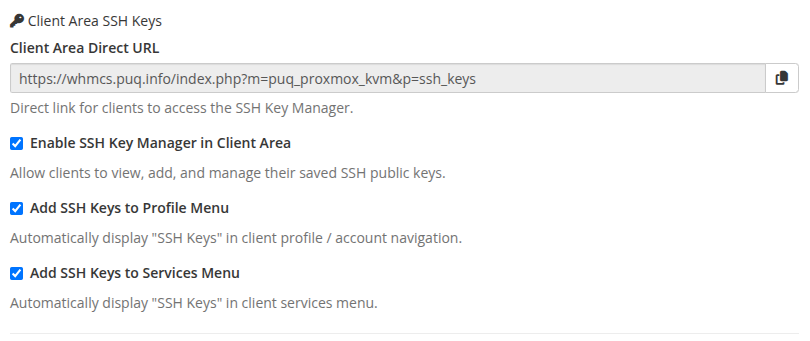
Client Area SSH Keys
 addon-settings-general-ssh-keys.png
| Setting | Default | Description |
|---|---|---|
| Client Area Direct URL | Read-only | Direct link for clients to access the standalone SSH Key Manager (index.php?m=puq_proxmox_kvm&p=ssh_keys). Convenient for custom links, portal buttons, or email templates |
| Enable SSH Key Manager in Client Area | Enabled | Master toggle allowing clients to view, add, and manage their saved public SSH keys in the WHMCS Client Area |
| Add SSH Keys to Profile Menu | Enabled | Automatically displays the SSH Keys menu item in the client profile / user dropdown ("Hello, {Name}!") |
| Add SSH Keys to Services Menu | Enabled | Automatically displays the SSH Keys item in the main client navigation under Services |
Module Data
| Setting | Default | Description |
|---|---|---|
| Delete all database tables | No | When enabled, all module database tables are dropped on addon deactivation. When disabled (default), tables are preserved for safe updates |
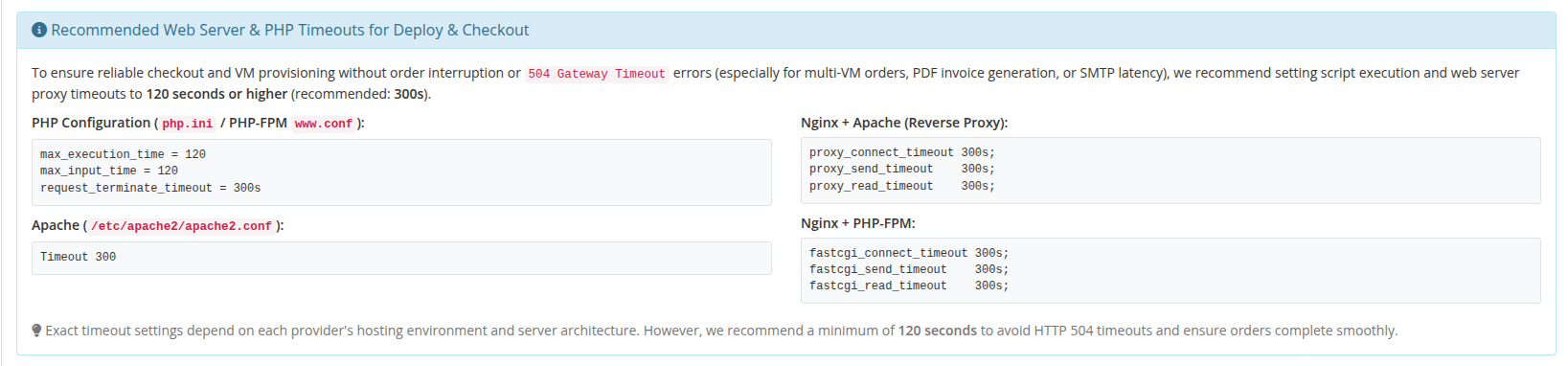
Recommended Web Server & PHP Timeouts
 addon-settings-general-timeouts-guide.png
To prevent HTTP 504 Gateway Timeouts, broken checkout sessions, and "Invalid Invoice ID" errors during customer checkout (particularly with multi-VM carts, PDF invoice creation, and SMTP mail delivery), we recommend configuring web server and PHP execution timeouts to 120 seconds or higher (recommended: 300s):
-
PHP (
php.ini):max_execution_time = 120(or300),max_input_time = 120 -
PHP-FPM (
www.conf):request_terminate_timeout = 300s -
Nginx (Apache reverse proxy):
proxy_connect_timeout 300s; proxy_send_timeout 300s; proxy_read_timeout 300s; -
Nginx (PHP-FPM direct):
fastcgi_connect_timeout 300s; fastcgi_send_timeout 300s; fastcgi_read_timeout 300s; -
Apache (
apache2.conf):Timeout 300
Cron Settings
WHMCS Hook Mode
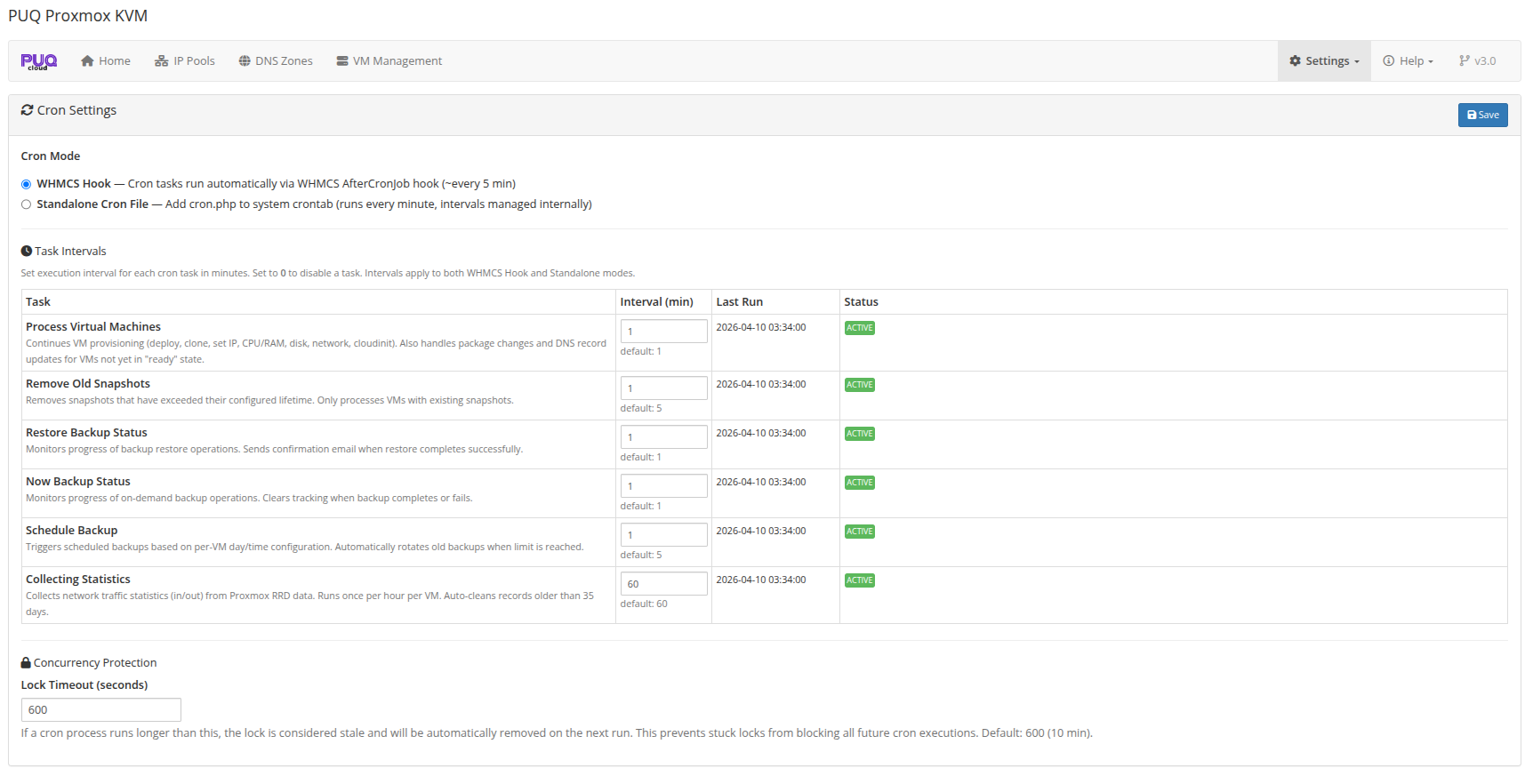 addon-settings-cron.png
In this mode, cron tasks run automatically as part of the WHMCS system cron. No additional configuration is needed.
Standalone Mode
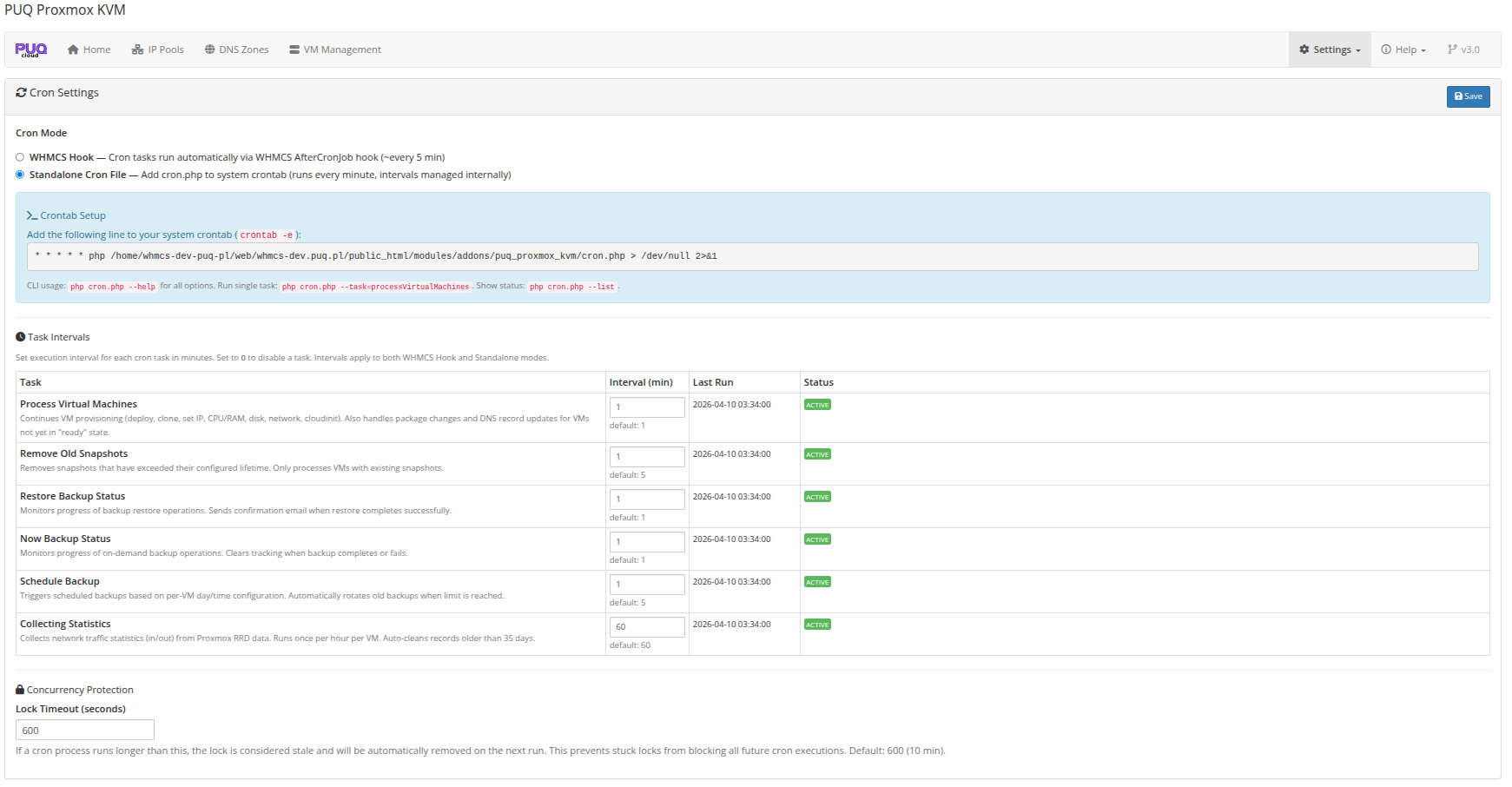 addon-settings-cron-standalone.png
In standalone mode, you run the cron file directly via system crontab:
* * * * * php /path/to/whmcs/modules/addons/puq_proxmox_kvm/cron.php
Cron Tasks
| Task | Default Interval | Description |
|---|---|---|
| Process Virtual Machines | 1 min | Deploys new VMs, processes change_package, refreshes DNS |
| Remove Old Snapshots | 5 min | Deletes snapshots past their configured lifetime |
| Restore Backup Status | 1 min | Checks completion of backup restore operations |
| Now Backup Status | 1 min | Checks completion of manual backup operations |
| Schedule Backup | 5 min | Runs scheduled automatic backups |
| Collecting Statistics | 60 min | Collects network usage metrics for billing |
- Set interval to 0 to disable a task
- Lock Timeout — maximum time a cron lock is held before considered stale (default: 600s)
CLI Tools
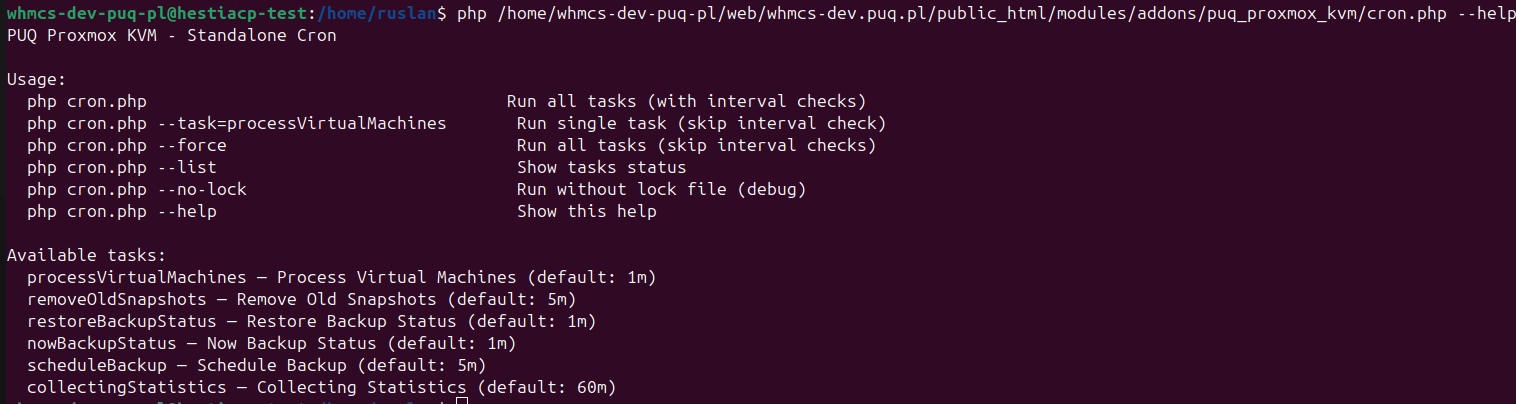 addon-cron-cli-help.png
The standalone cron file supports command-line arguments:
# Run all tasks
php cron.php

# Run specific task
php cron.php --task=processVirtualMachines

# Force run (ignore intervals)
php cron.php --force

# List tasks and their status
php cron.php --list

# Show help
php cron.php --help