 Skip to main content
Dashboard
PUQ Page Manager module WHMCS
Order now | Download | Community
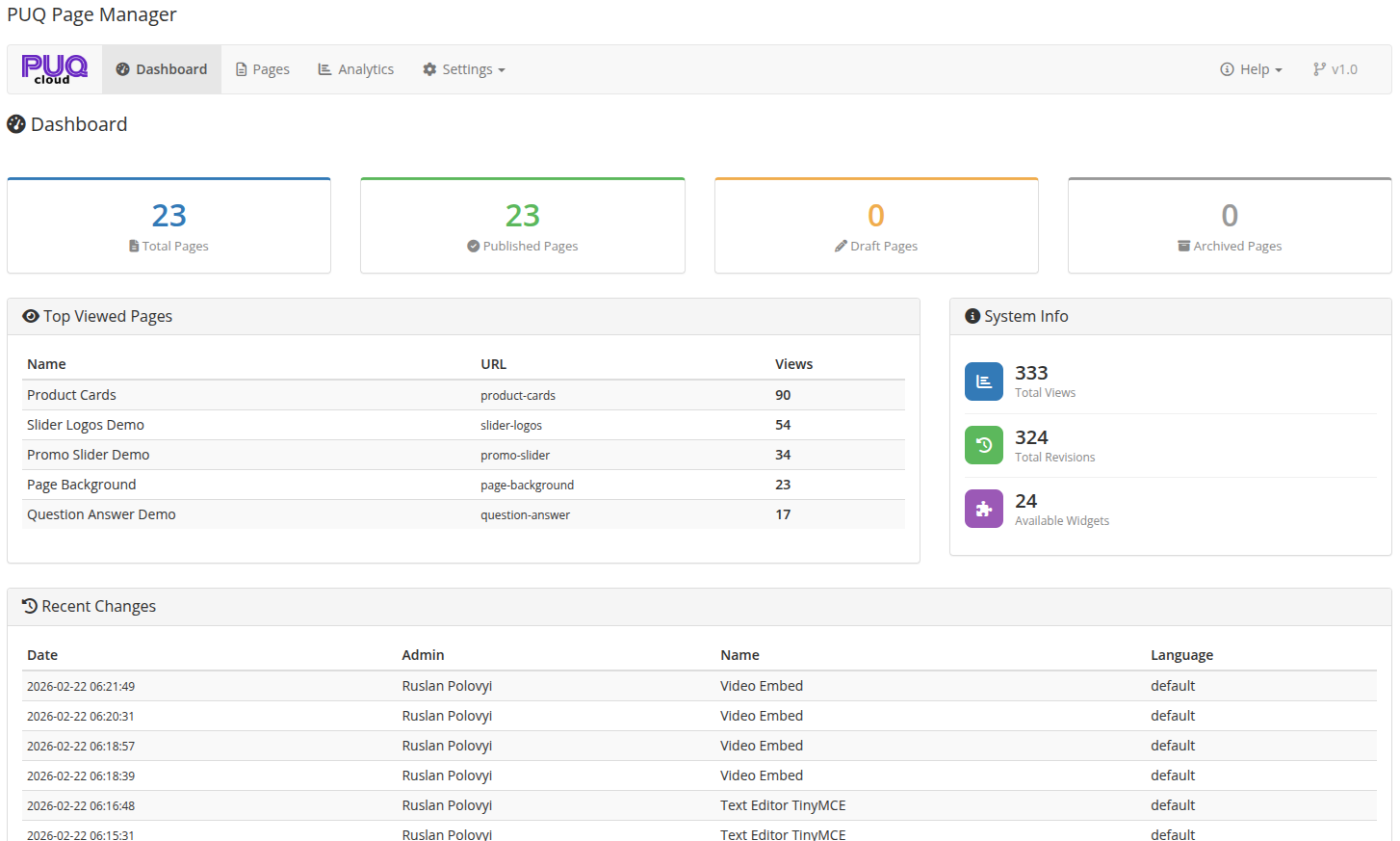
The Dashboard is the main screen of PUQ Page Manager. It provides a quick overview of your pages, recent activity, and system information.
 02-dashboard.png
Overview Cards
At the top of the dashboard, four cards display key statistics:
| Card | Description |
|---|---|
| Total Pages | Total number of pages created |
| Published Pages | Pages with "Published" status |
| Draft Pages | Pages with "Draft" status |
| Archived Pages | Pages with "Archived" status |
Top Viewed Pages
A table showing the most viewed pages, sorted by total views. Displays the page name and view count.
System Info
The right-side panel shows:
| Metric | Description |
|---|---|
| Total Views | Combined view count across all pages |
| Total Revisions | Number of saved page revisions |
| Available Widgets | Number of widgets available in the editor |
Recent Changes
A table listing the most recent page edits, including the page name, who made the change, the language, and when the change was made.
Navigation
| Tab | Description |
|---|---|
| Dashboard | This page — overview and statistics |
| Pages | List of all pages, add new page |
| Analytics | Page view statistics and charts |
| Settings | General settings, page rewrites, import/export, password page appearance |
| Help | Links to documentation, website, and community |