 Skip to main content
Pages
PUQ Page Manager module WHMCS
Order now | Download | Community
The Pages section allows you to view, create, edit, and manage all your custom pages.
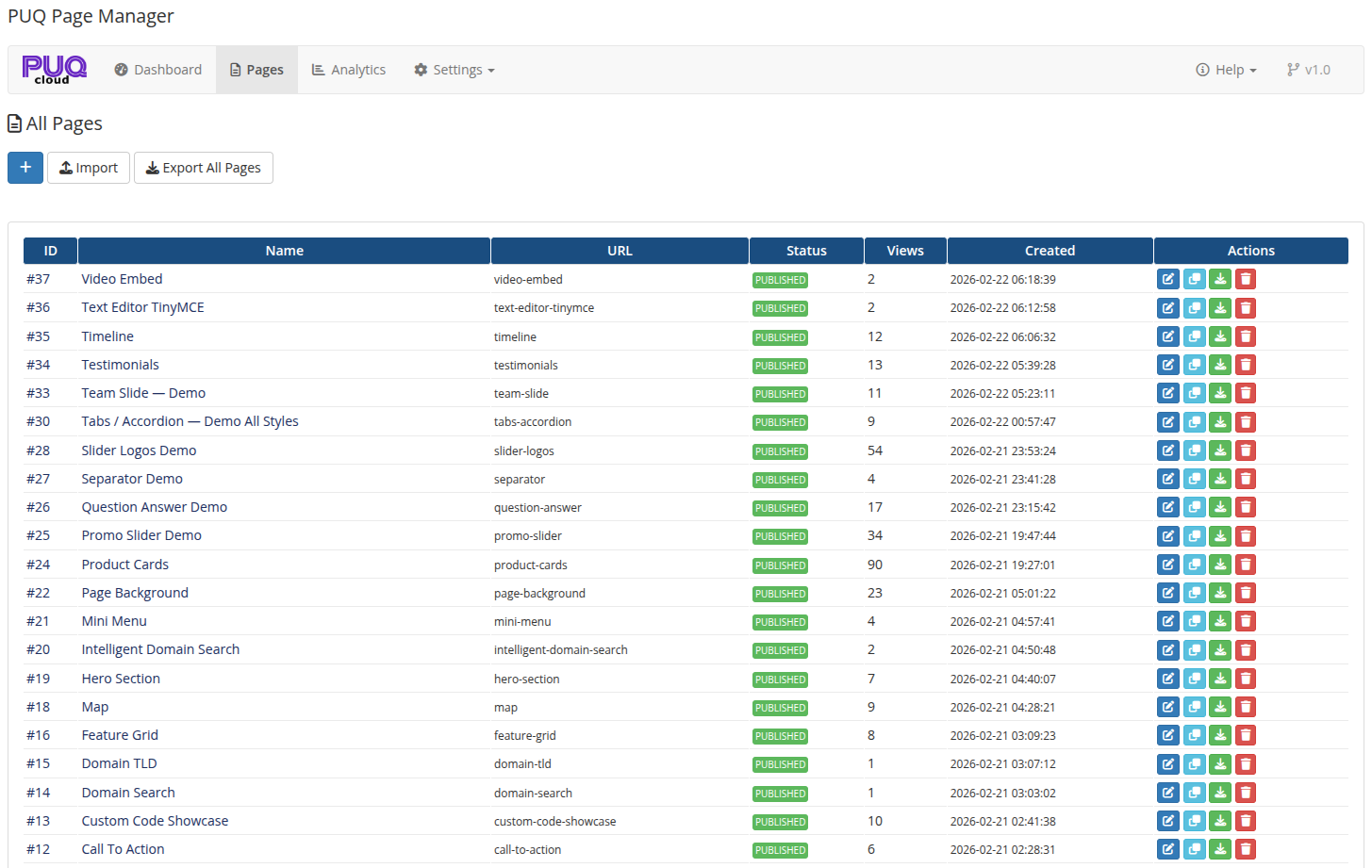 03-pages.png
All Pages
The pages list displays all created pages in a table with the following columns:
| Column | Description |
|---|---|
| ID | Unique page identifier |
| Name | Page title |
| URL | The URL slug used to access the page |
| Status | Current status: Published, Draft, Scheduled, or Archived |
| Views | Total page view count |
| Created | Date and time when the page was created |
| Actions | Edit, view, duplicate, export, delete |
Add New Page & Quick Start (Demo Pages)
- Add Page: Click the Add Page button at the top of the pages list to create a blank new page and open the editor immediately.
- Create Demo Pages: Click the Demo button to instantly generate preconfigured, production-ready showcase pages (including a homepage, an about us page, and complete widget demonstration pages). All widgets are populated with balanced color palettes and English content to kickstart evaluation and design.
Page Editor
Clicking Edit on any page opens the page editor. The editor is organized into collapsible panels:
General Settings
| Field | Description |
|---|---|
| Name | Page title displayed in the browser tab and page header |
| URL | URL slug for the page (e.g., my-page → yourdomain.com/index.php?m=puq_page_manager&page=my-page) |
| Parent Page | Optional parent page for hierarchical organization |
| Sort Order | Numeric value for sorting pages (lower = first) |
| Status | Draft, Published, Scheduled, or Archived |
| Reset Views | Click the reset button next to the view counter to reset this page’s total views back to zero |
Visibility & Access
| Field | Description |
|---|---|
| Visibility | Who can see the page: All Visitors, Guests Only, Clients Only, or Client Groups |
| Required Login | If enabled, visitors must log in to view the page |
| Password Protection | Protect the page with a password |
Content
The block widget editor (EditorJS) is the main content area. You can add, arrange, and configure widgets by clicking the + button or using the toolbar. Each widget block can be moved up/down, duplicated, or deleted.
SEO
| Field | Description |
|---|---|
| OG Title | Open Graph title for social media sharing |
| OG Description | Open Graph description |
| OG Image | Open Graph image URL |
| Keyword(s) | Meta keywords |
| Canonical URL | Canonical URL for SEO |
| Meta Robots | Meta robots directive (index/noindex, follow/nofollow) |
| Schema JSON-LD | Structured data in JSON-LD format |
| Custom CSS | Custom CSS styles for this page only |
| Custom JS | Custom JavaScript for this page only |
Languages
The Languages panel allows you to manage translations for the page. You can:
- Add translations for any language
- Copy content from another language
- Track translation status: Translated, Needs Update, Not Translated
- Delete translations
Revisions
The Revisions panel shows the revision history for the page. Each revision stores a snapshot of the page content. You can:
- Preview the content of any revision
- Restore a previous revision with one click
Import / Export
- Export Page — export a single page as a JSON file (available from the page actions menu)
- Export All Pages — export all pages as a single JSON file (available from the Settings page)
- Import Page — import a page from a JSON file (available from the Settings page)