 Skip to main content
Markdown
PUQ Page Manager module WHMCS
Order now | Download | Community
The Markdown widget renders Markdown content as a printable A4-styled document on the client area. The admin side provides a Markdown source editor with a one-click preview toggle, and the frontend optionally exposes a "Download as PDF" button that produces an A4 PDF file.
Admin Settings
The widget has two view modes that toggle with a single button.
Editor mode
In editor mode the full Markdown source is shown in a syntax-friendly textarea. Click Show preview to switch to the rendered preview.
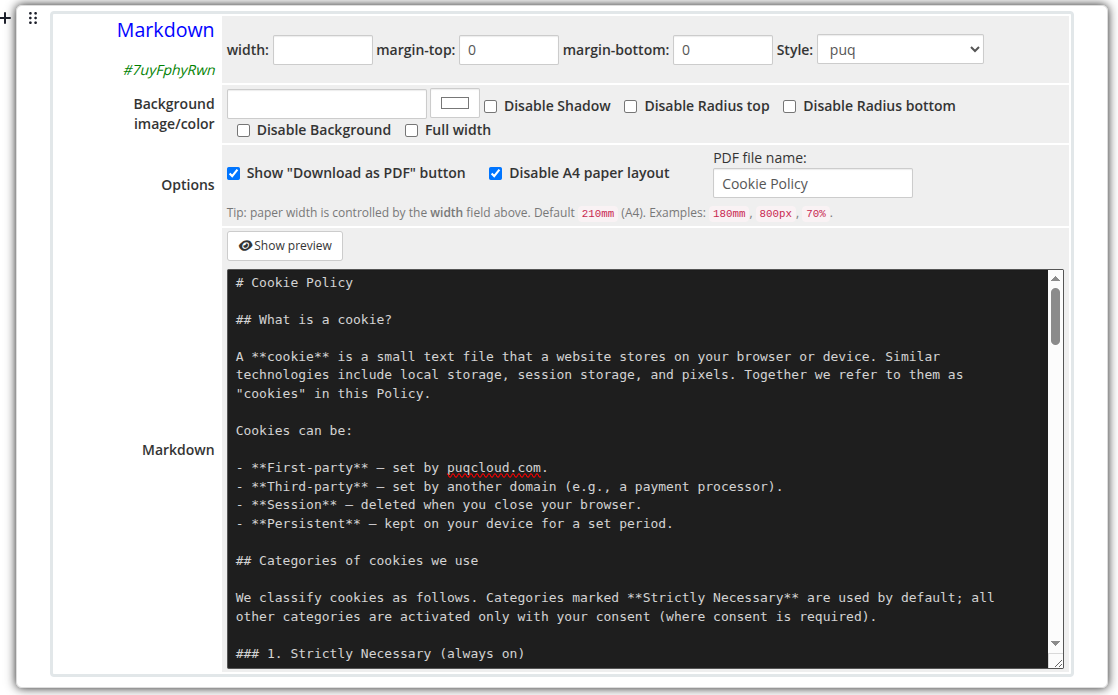 markdown-admin.png
Preview mode
Preview mode renders the Markdown using the same parser as the frontend (without the A4 paper styling). Click Show editor to go back to the source.
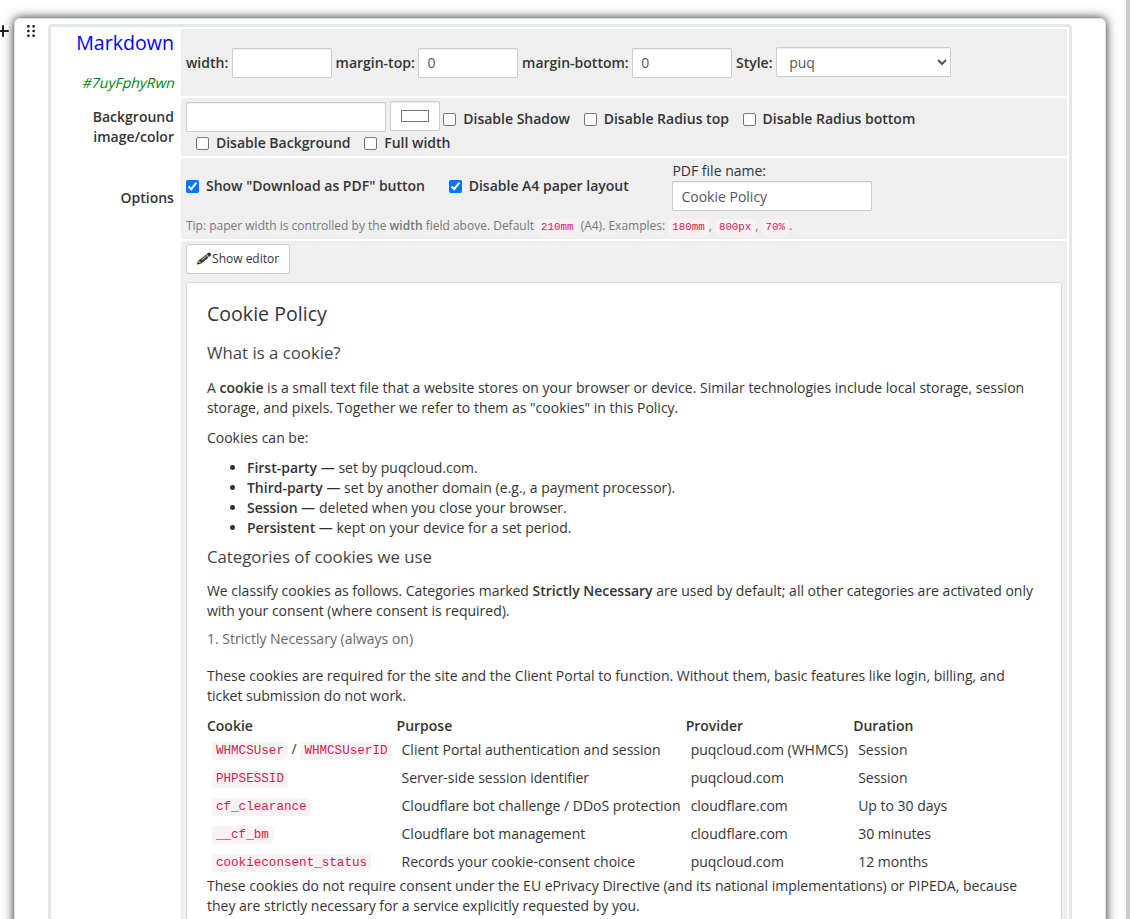 markdown-admin-preview.png
Frontend
On the client area the content is rendered inside an A4-sized paper element with a soft shadow and serif typography, similar to a printed document.
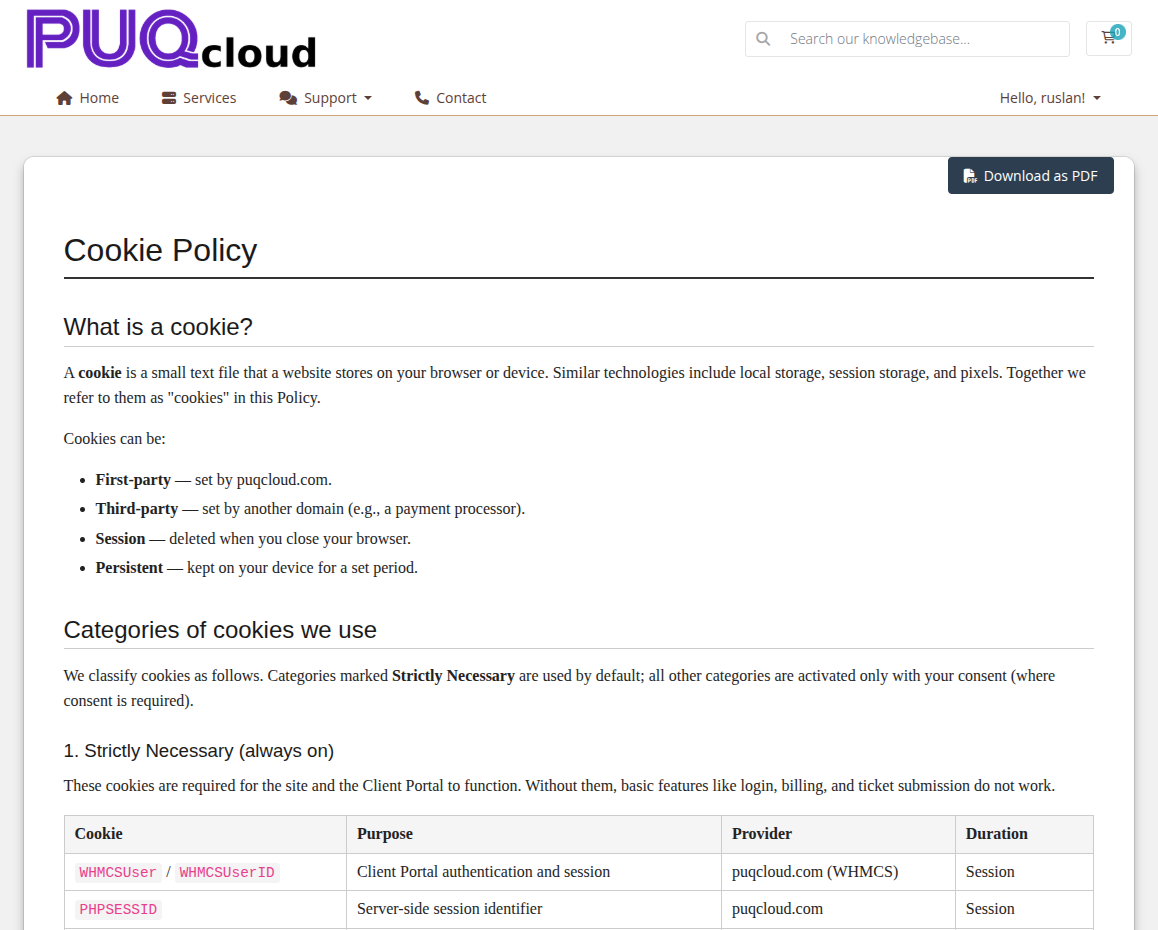 markdown-frontend.png
If the Show "Download as PDF" button option is enabled, a button is displayed above the document. Clicking it generates and downloads a real A4 PDF file produced from the rendered HTML.
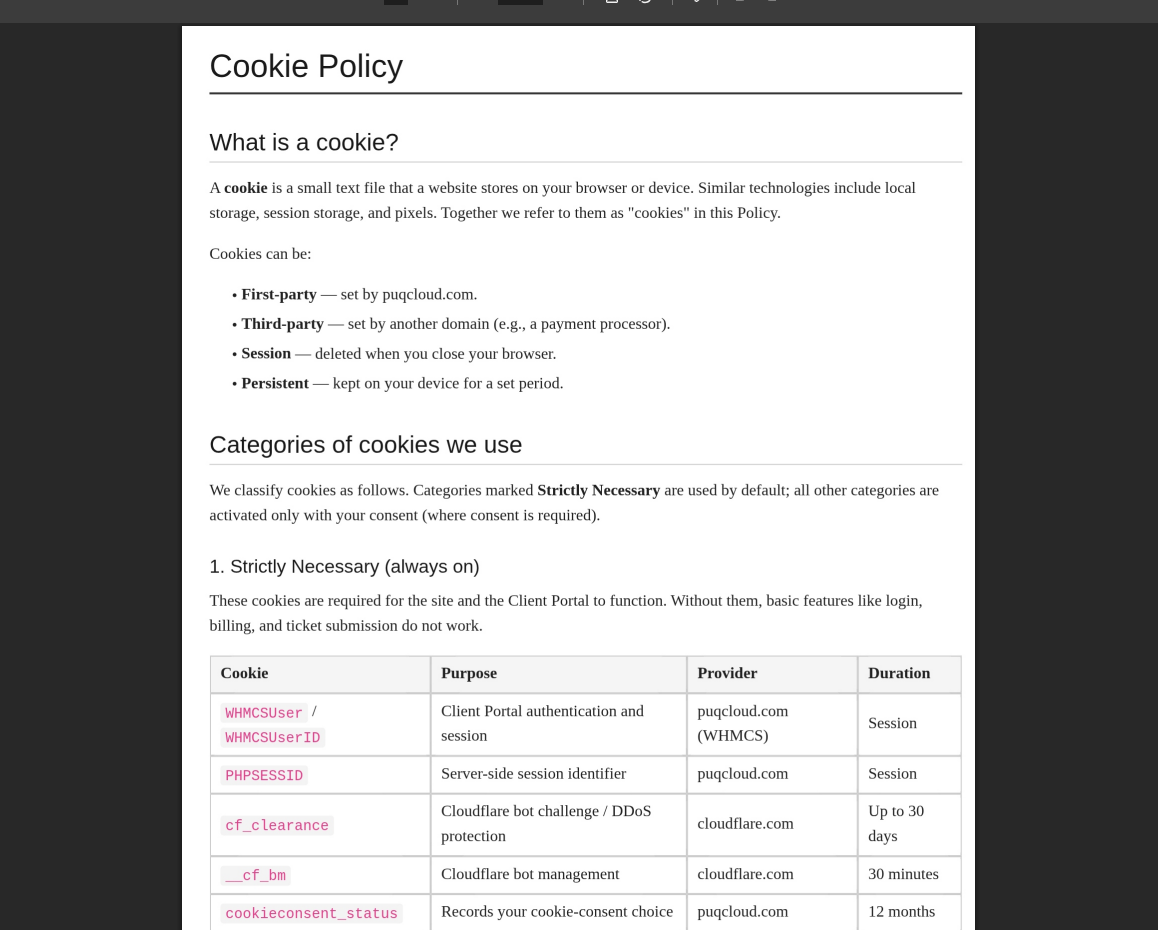 markdown-pdf.png
Settings
Content
| Setting | Type | Default | Description |
|---|---|---|---|
| markdown | textarea | — | Markdown source. Standard Markdown syntax is supported (headings, lists, links, images, code blocks, tables, blockquotes, inline HTML). |
The Show preview / Show editor button switches between the source textarea and the rendered preview without leaving the editor.
Document Options
| Setting | Type | Default | Description |
|---|---|---|---|
| show_download_pdf | checkbox | off | Show the Download as PDF button above the document on the frontend. |
| disable_a4 | checkbox | off | Disable the A4 paper layout. The content is rendered as a regular full-width block instead of a fixed-size sheet. |
| pdf_filename | text | document |
Base file name for the generated PDF (without .pdf extension). |
The Download as PDF button label is fully translatable via the addon language files (Download as PDF, Generating... keys).
Layout Settings
| Setting | Type | Default | Description |
|---|---|---|---|
| width | text | 210mm |
Width of the paper sheet. Examples: 210mm (A4), 180mm, 800px, 70%. Numeric-only values are interpreted as a percentage. |
| margin_top | text | — | CSS top padding of the widget container (e.g. 20px). |
| margin_bottom | text | — | CSS bottom padding of the widget container (e.g. 20px). |
| style | select | puq |
Visual style template. |
| background_image | text | — | URL of the background image rendered behind the paper. |
| background_color | color | #FFFFFF |
Background color of the widget container. |
| disable_background_shadow | checkbox | off | Remove the drop shadow from the container. |
| disable_background_radius_top | checkbox | off | Remove the top border radius from the container. |
| disable_background_radius_bottom | checkbox | off | Remove the bottom border radius from the container. |
| disable_background | checkbox | off | Disable the background container entirely. |
| full_width | checkbox | off | Stretch the widget to the full page width. |
Tip: Paper width is controlled by the width field. If the field is empty the default
210mm(A4) is used. Usemm,px, or%units explicitly — bare numbers are treated as percentages.
Style Templates
| Template | Description |
|---|---|
puq |
Default A4 document style: serif typography, sans-serif headings, soft shadow, rounded corners. |
Notes
- Markdown is parsed on the client side using marked.js (loaded from a CDN on first use and cached for further widgets on the page).
- PDF generation uses html2pdf.js (loaded on demand the first time the user clicks the download button).
- The widget is a standard EditorJS block — multiple Markdown blocks can be placed on the same page; each one keeps its own settings and content.
- For mobile screens (< 800px) the paper expands to 100% width automatically so it remains readable on small devices. The fixed A4 width is preserved on tablets and desktops.
- When Disable A4 paper layout is enabled, the document is rendered without the paper sheet (no fixed width, no shadow, no minimum height) — handy if you only need the Markdown rendering on a regular page section.