Intelligent Domain Search
PUQ Page Manager module WHMCS
The Intelligent Domain Search widget provides an advanced domain search experience that displays TLD availability, pricing, and buy/transfer actions directly on the page. It pulls live TLD data from WHMCS and presents results in a structured results panel with per-extension availability status and pricing.
Admin View
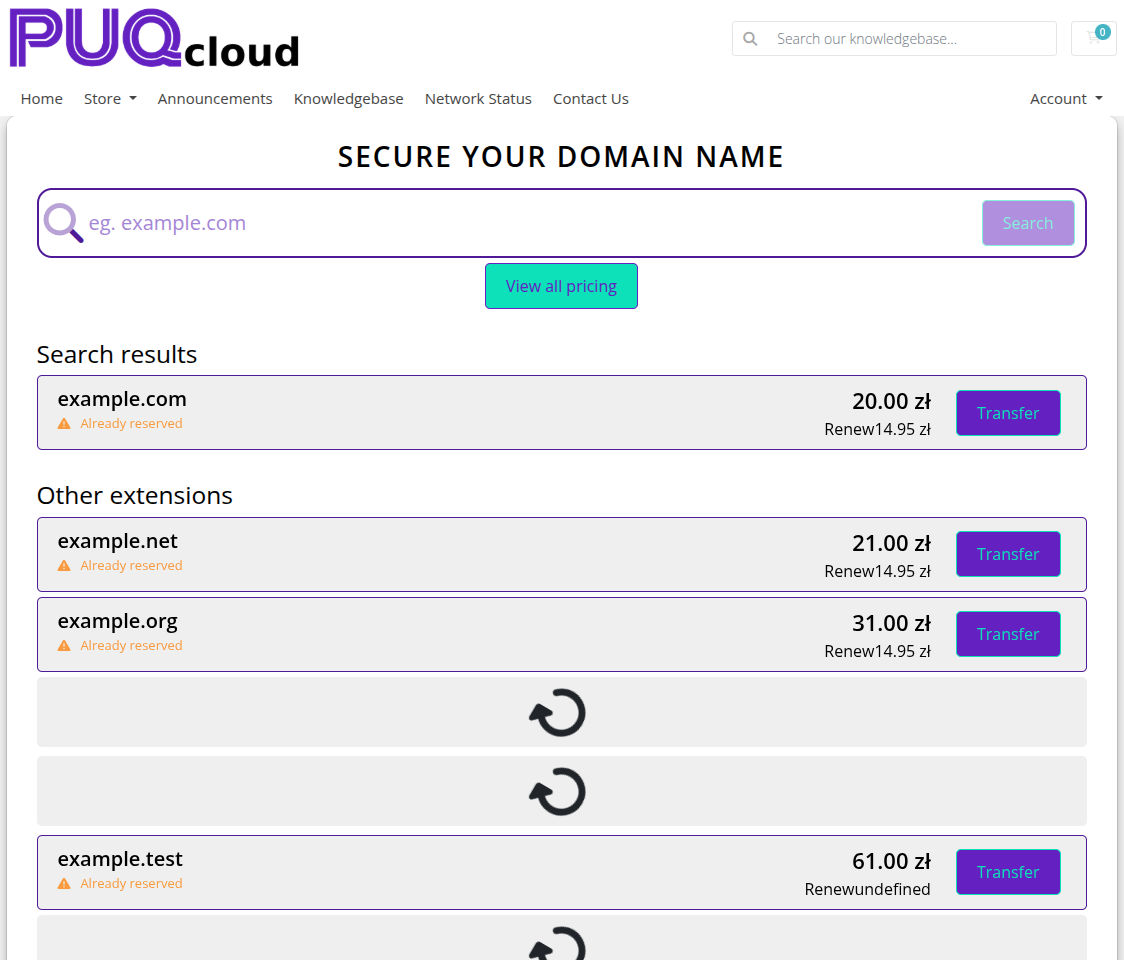 intelligent-domain-search-admin.png
Frontend View
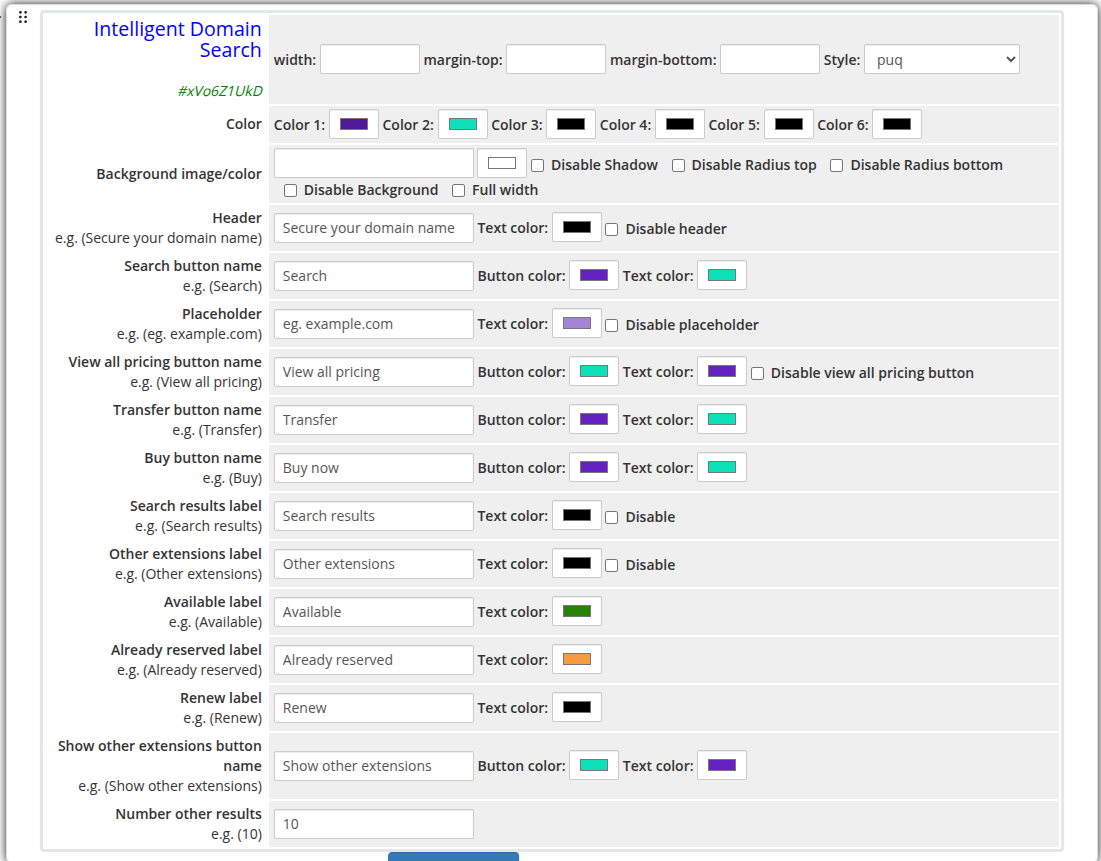 intelligent-domain-search-frontend.png
Settings
Layout
| Setting |
Description |
| width |
Widget container width (e.g. 100%, 800px) |
| margin-top |
Top margin of the widget block |
| margin-bottom |
Bottom margin of the widget block |
| Style |
Visual style template (1 style available: puq) |
Colors
| Setting |
Description |
| Color 1 |
Primary accent color |
| Color 2 |
Secondary accent color |
| Color 3 |
Color 3 |
| Color 4 |
Color 4 |
| Color 5 |
Color 5 |
| Color 6 |
Color 6 |
Background
| Setting |
Description |
| Background image |
URL of the background image for the widget container |
| Background color |
Background color of the widget container |
| Disable Shadow |
Remove the drop shadow from the widget container |
| Disable Radius top |
Remove top corner rounding |
| Disable Radius bottom |
Remove bottom corner rounding |
| Disable Background |
Remove the background panel entirely |
| Full width |
Stretch the widget to the full page width |
| Setting |
Description |
| Header |
Heading text displayed above the search bar (e.g. Secure your domain name) |
| Text color |
Color of the header text |
| Disable header |
Hide the header text |
| Setting |
Description |
| Search button name |
Label for the search action button (e.g. Search) |
| Button color |
Background color of the search button |
| Text color |
Text color of the search button |
Placeholder
| Setting |
Description |
| Placeholder |
Placeholder text inside the search input (e.g. eg. example.com) |
| Text color |
Color of the placeholder text |
| Disable placeholder |
Hide the placeholder text |
View All Pricing Button
| Setting |
Description |
| View all pricing button name |
Label for the pricing link button (e.g. View all pricing) |
| Button color |
Background color of the button |
| Text color |
Text color of the button |
| Disable view all pricing button |
Hide the view all pricing button |
| Setting |
Description |
| Transfer button name |
Label for the transfer action (e.g. Transfer) |
| Button color |
Background color of the transfer button |
| Text color |
Text color of the transfer button |
| Setting |
Description |
| Buy button name |
Label for the buy/add to cart action (e.g. Buy) |
| Button color |
Background color of the buy button |
| Text color |
Text color of the buy button |
Result Labels
| Setting |
Description |
| Search results label |
Section heading for primary results (e.g. Search results) |
| Search results text color |
Color of the search results label |
| Disable search results |
Hide the search results label |
| Other extensions label |
Section heading for additional TLD results (e.g. Other extensions) |
| Other extensions text color |
Color of the other extensions label |
| Disable other extensions |
Hide the other extensions section |
| Available label |
Status label for available domains (e.g. Available) |
| Available text color |
Color of the available status label |
| Already reserved label |
Status label for taken domains (e.g. Already reserved) |
| Already reserved text color |
Color of the reserved status label |
| Renew label |
Label used for renewal actions (e.g. Renew) |
| Renew text color |
Color of the renew label |
Other Extensions Button
| Setting |
Description |
| Show other extensions button name |
Label for the expand button (e.g. Show other extensions) |
| Button color |
Background color of the expand button |
| Text color |
Text color of the expand button |
| Number other results |
Number of additional TLD results to show (e.g. 10) |
 Skip to main content